Settings
The Settings page lets you configure your workspace, manage personas, and customize how karmafarm.co rates posts.Company Settings
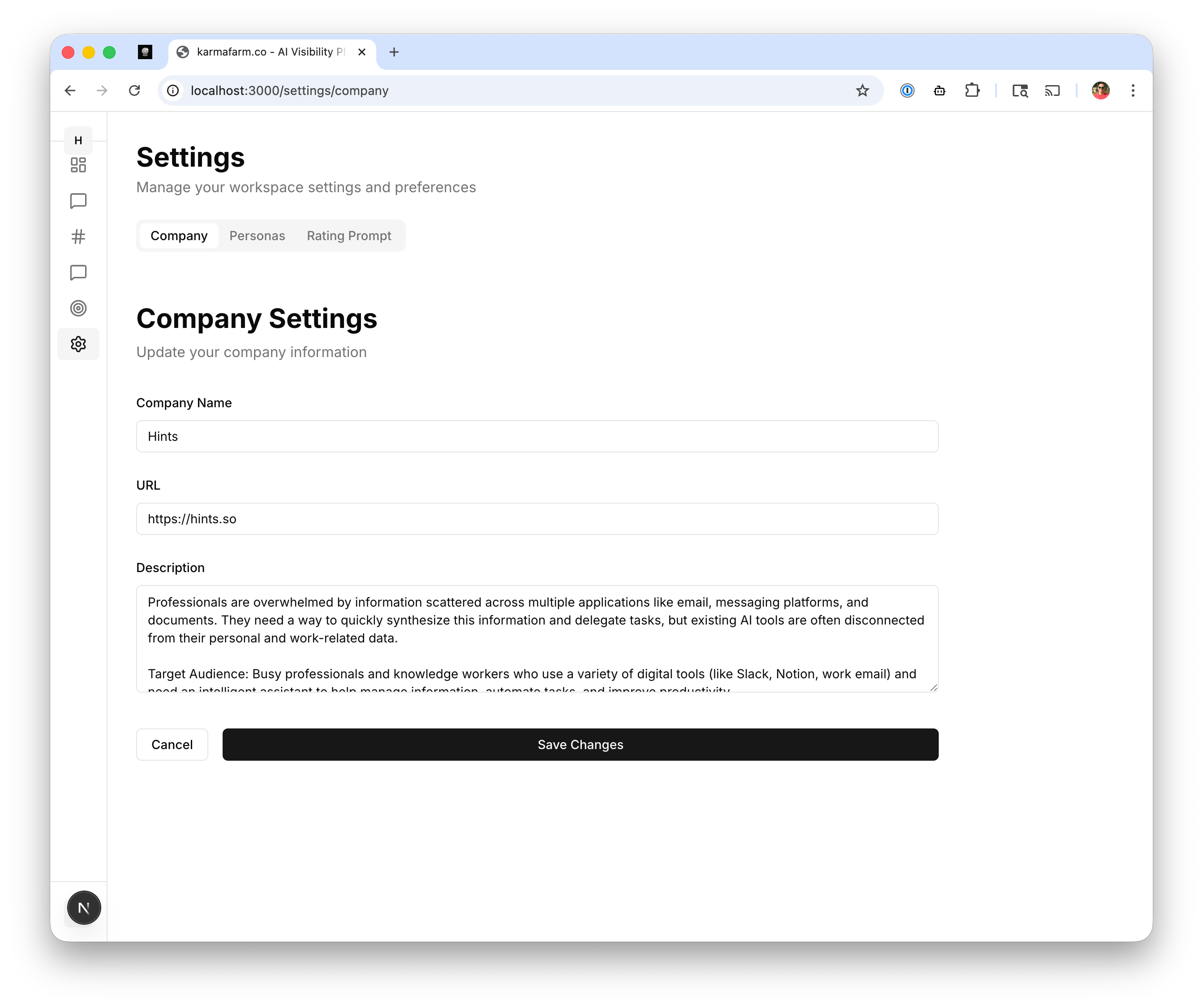
Company Name
Your business or product name. This appears in generated responses when mentioning your company.URL
Your website URL. Used for extracting company information and linking in responses.Description
A detailed description of your product, including:- What problem you solve
- Key features and benefits
- Target audience
Updating Company Settings
- Edit any field
- Click Save Changes to apply
Personas
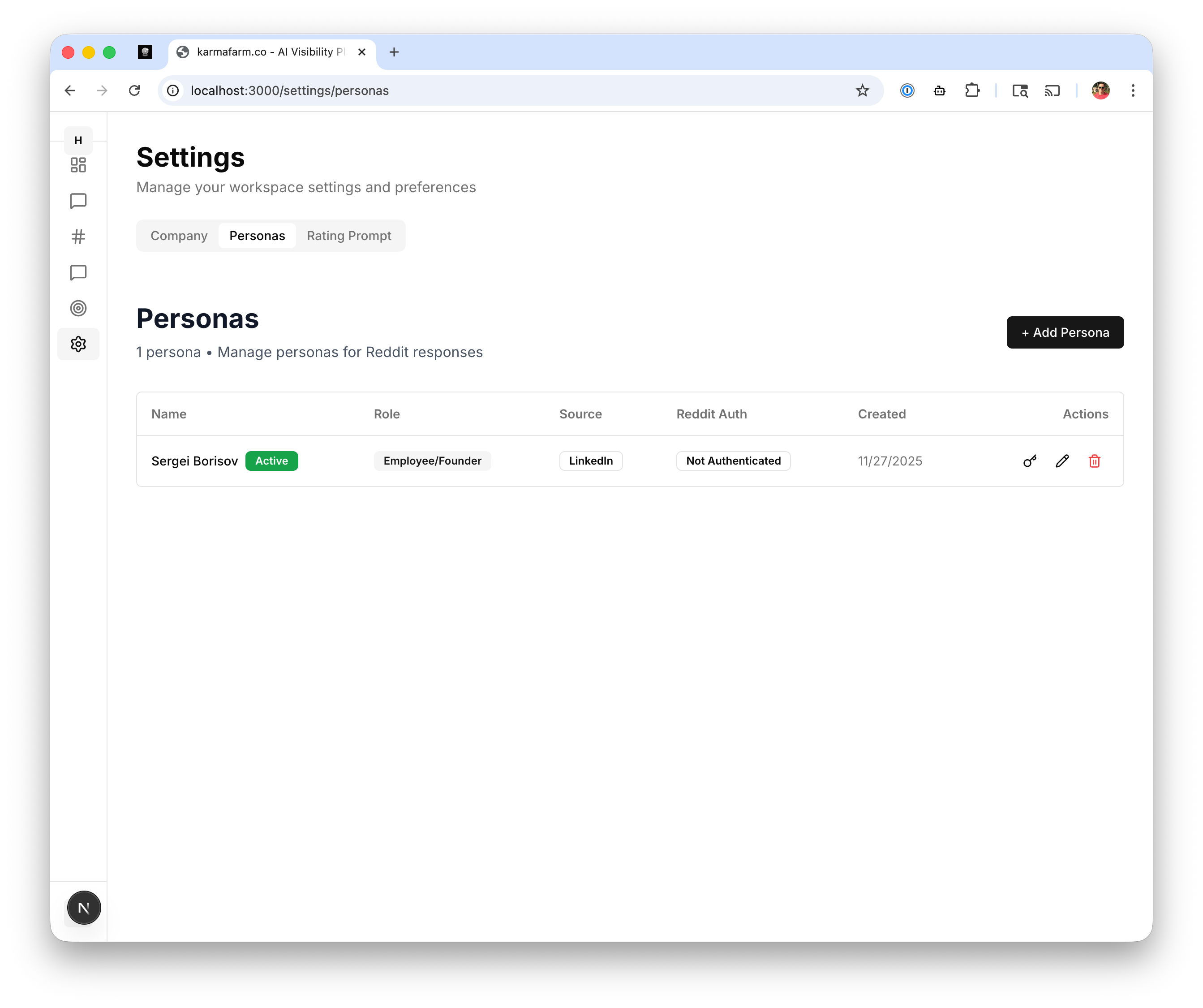
Viewing Personas
The Personas tab shows all configured personas with:| Column | Description |
|---|---|
| Name | Display name for the persona |
| Role | Employee/Founder, Customer, etc. |
| Source | Where persona info was sourced (e.g., LinkedIn) |
| Reddit Auth | Authentication status |
| Created | When the persona was added |
Adding a Persona
Click + Add Persona to create a new posting identity:- Name: The name that appears on posts
- Role: How the persona relates to your product
- Employee/Founder: Direct association with your company
- Customer: Speaking as a satisfied user
- Industry Expert: Providing professional advice
- Source: Optional link to verify identity (LinkedIn, Twitter)
- Reddit Account: Connect for direct posting
Reddit Authentication
To post responses directly from karmafarm.co:- Click the authenticate icon next to a persona
- Log in with your Reddit account
- Authorize karmafarm.co to post on your behalf
Rating Prompt
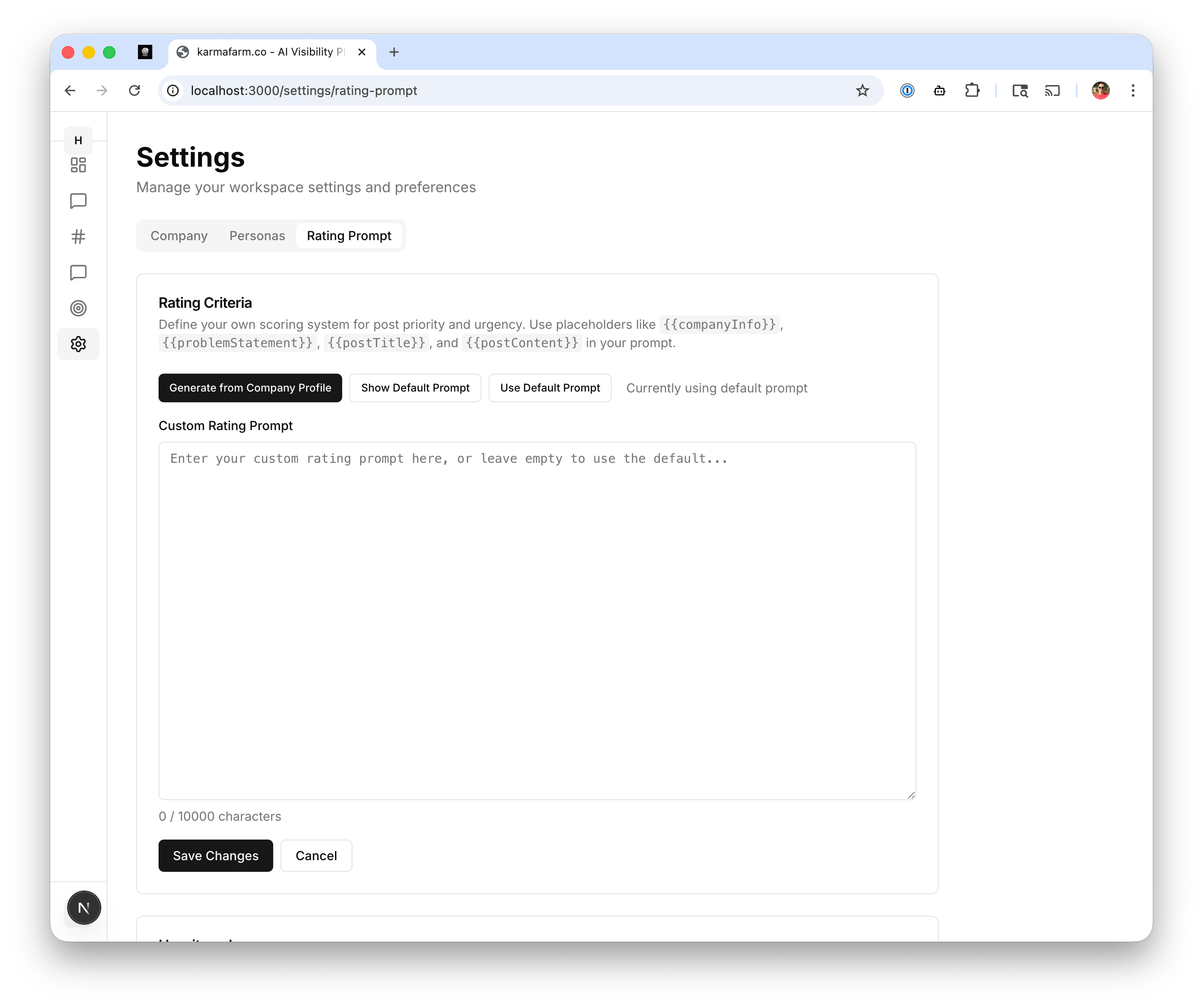
Rating Criteria
Define your own scoring system for post priority using placeholders:{{companyInfo}}- Your company description{{problemStatement}}- The user’s problem or question{{postTitle}}- The Reddit post title{{postContent}}- The full post content
Using the Rating Prompt
- Generate from Company Profile: Auto-generate criteria based on your company info
- Show Default Prompt: View the built-in rating prompt
- Use Default Prompt: Reset to the default rating system
- Custom Rating Prompt: Write your own criteria